通过CLI集成到其他智能体
安装 CLI Runner,让其他智能体通过终端驱动 DomA 操作浏览器
安装 DomA 扩展后,继续安装 CLI Runner,即可让其他智能体通过 CLI 在终端中驱动 DomA 自动化操作浏览器。
安装
macOS/ Linux
curl -fsSL https://res.stayfork.app/d/install-doma-cli-runner.sh | bash打开DomA连接器
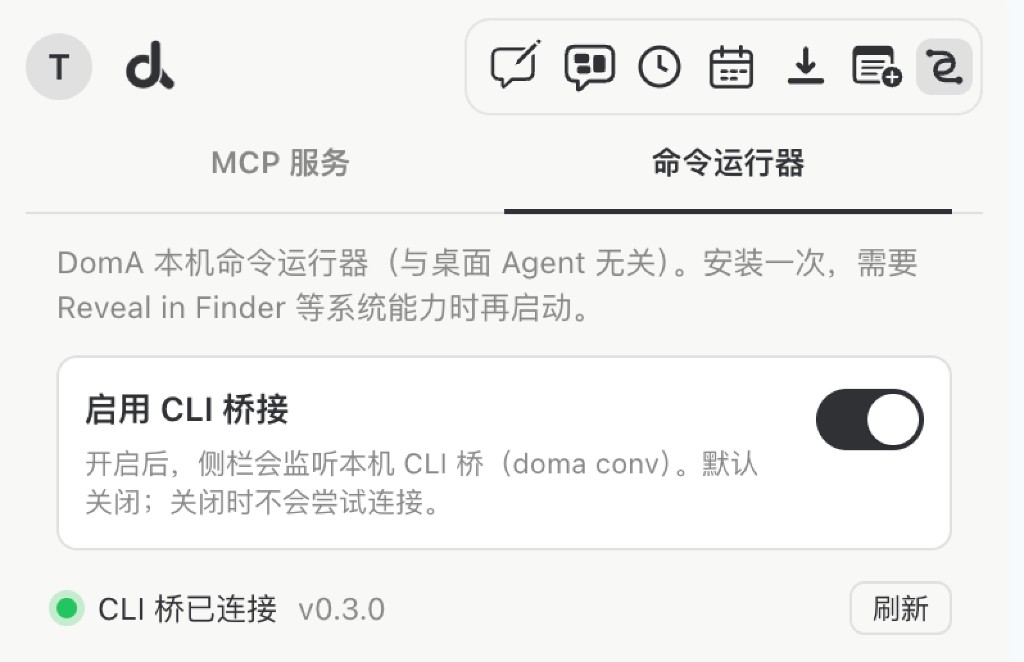
切换到CLI运行器,打开启用CLI桥接
在终端启动DomA CLI Runner
~/bin/doma-cli-runner start -d让其他智能体扫描doma CLI,进行调用
DomA CLI 0.4.0

Conversation client for DomA. Service start/stop is via doma-cli-runner
(helper :3848 + CLI bridge :3856/:3857). Independent of MCP (:3846/:3847).

USAGE
  doma-cli-runner start -d     Start DomA CLI service (required before conv)
  doma-cli-runner stop
  doma-cli-runner status

  doma help
  doma conv start -m <message> [--agent <name>]
  doma conv send <conversationId> -m <message> [--agent <name>]
  doma conv result <conversationId> [--watch] [--interval <sec>]
  doma conv close <conversationId> [--agent <name>]

COMMANDS
  help
      Show this help (English).

  conv start
      Start a group browser conversation.
      Required: -m / --message
      Optional: --agent (default: CLI)

  conv send
      Follow-up message.
      Args: <conversationId>; Required: -m / --message

  conv result
      Poll status/result.
      Optional: --watch, --interval SEC (default 2)

  conv close
      Close conversation.

ENV
  DOMA_CLI_CONTROL_PORT  Bridge control HTTP (default 3856)
  DOMA_CALLER_AGENT      Default --agent value

EXAMPLES
  doma-cli-runner start -d
  doma conv start -m "Open baidu.com, search DomA, return first-page titles"
  doma conv send <conversationId> -m "Click the first result"
  doma conv result <conversationId> --watch
  doma conv close <conversationId>
  doma-cli-runner stop